
In this section (4)
Transits
Transits on the wheel
The transit ring sets the sky at the playhead around the chart, so you can see where the planets are against the natal positions. The chart holds still and the ring moves with the playhead.
To add it, click the active tab to open its rings, then click + Add ring. A new ring starts as Current Transits. More on rings is in tabs and wheels.
Arcus also turns the ring on for you when you click Now on the timeline of a chart with one ring, step with the event finder, or click a row in the Lunations card.
The Transits card on the Chart page
The Transits card lists the transits at the playhead in words, ranked so the closest and most important come first. On a chart it is Transits to Horoscope. On a sky tab it is Transits in the Sky and lists the planets' aspects to each other. The chip in its header reads Now, or the date the playhead is on.
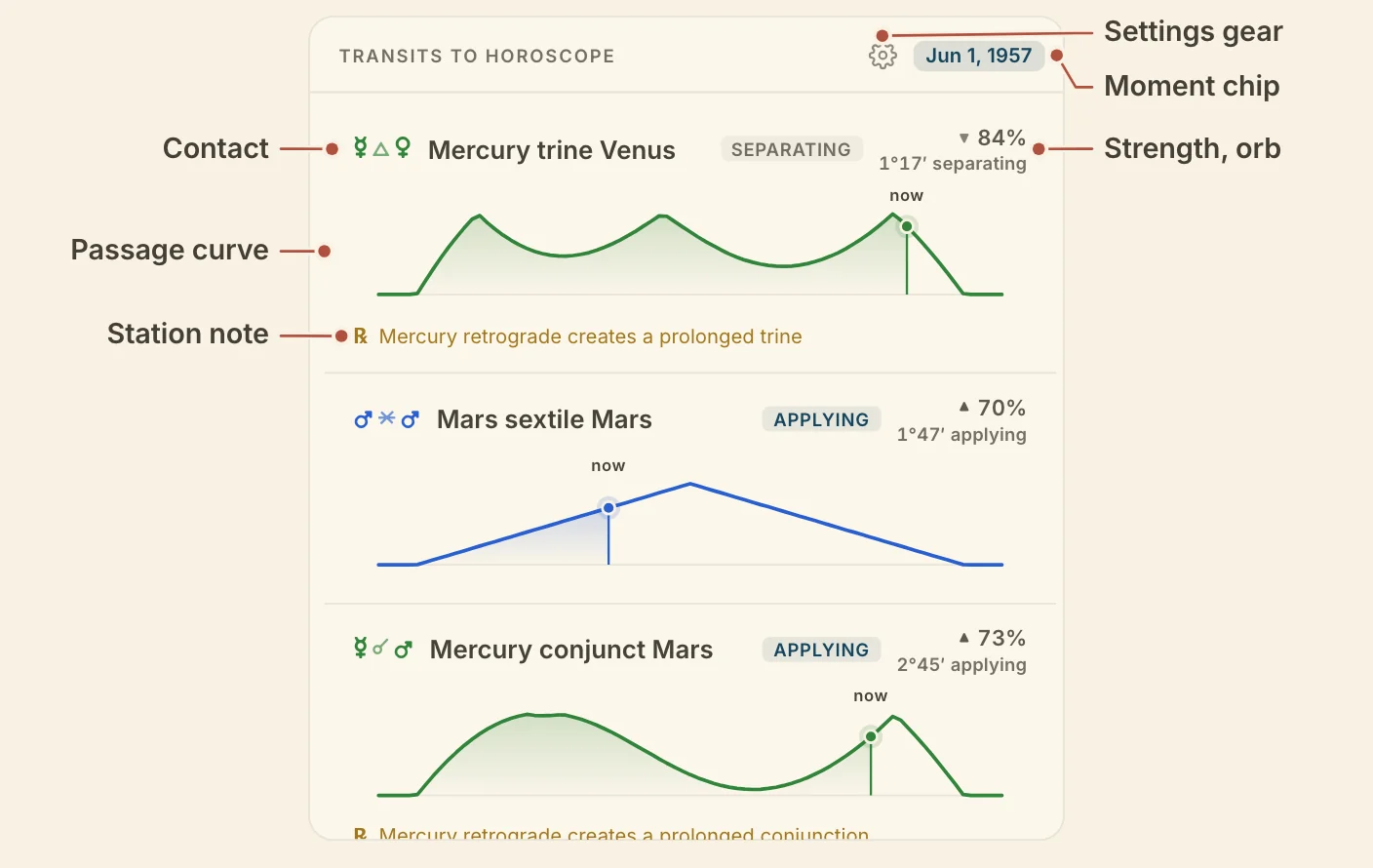
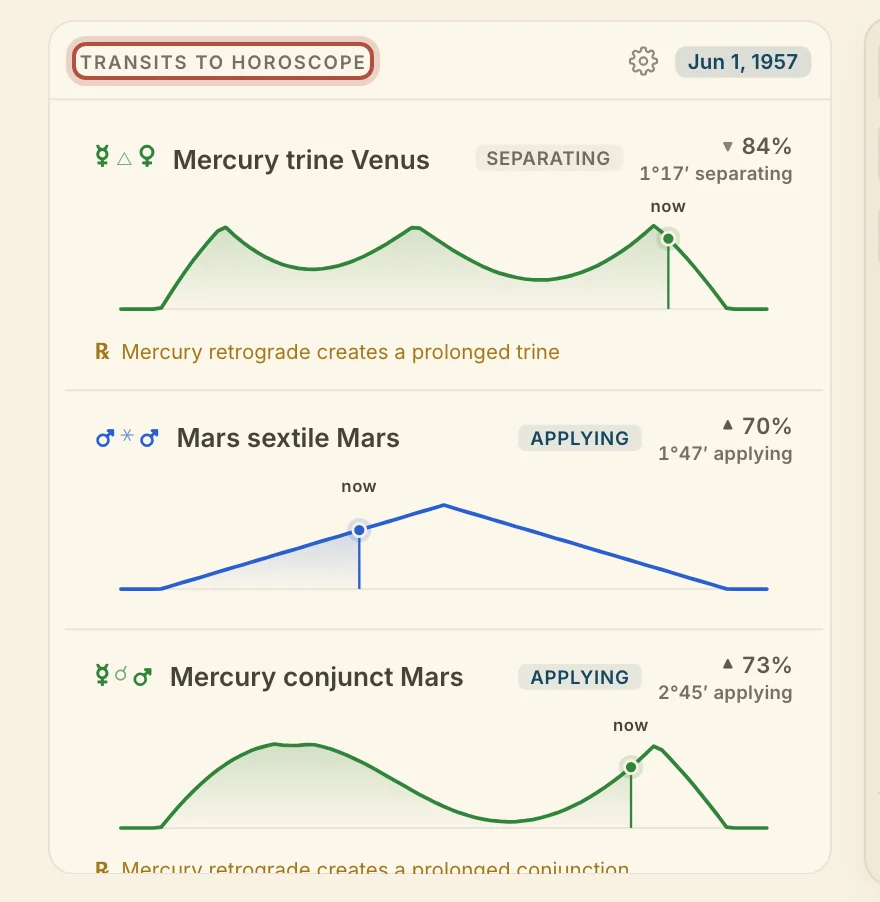
Transits to Horoscope lists contacts between the personal planets first, then anything involving Jupiter or Saturn, then the outer planets and points. Transits in the Sky ranks each pair by its slower planet and leaves out the Moon. Within each tier the closest to exact comes first.
Minimized, the card shows two lines, Closest and Next exact.
To follow a transit across a span of dates, the Graph draws each one as a curve, and the Graph jobs choose what it plots.
Reading a transit row
Each row of the Transits card tells you how one transit stands at the playhead and how it runs over its whole passage. It gives the glyphs and the contact in words, then:
- Applying, Exact or Separating
- the date and time it is exact, or "closest" when it never perfects
- its strength as a percentage, with ▲ while it builds and ▼ while it fades
- the orb now
- a small curve of the whole passage, with the playhead on it
A line marked ℞ appears where a station changes the contact.
Click a row to open that transit on the Graph.
Tap a row to open it on the chart wheel. On a sky tab, a tap scrubs the wheel to that moment.
Transits card settings on the Chart page
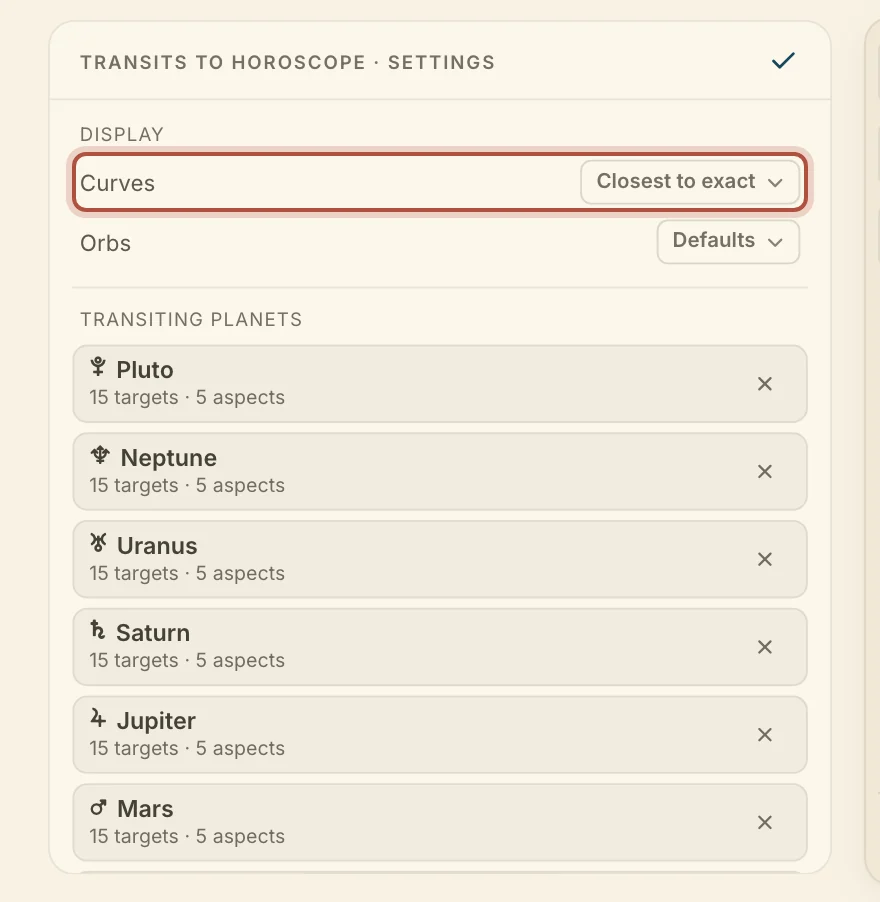
The card's settings choose which transits it follows and how it lays them out. The gear flips the card to them.
- Curves, under Display, switches between Closest to exact and Grouped by planet. Grouped by planet puts each transiting planet under its own heading, fastest first, with a short curve and the strength on one line.
- Orbs picks one of your saved orb sets.
- Transiting planets chooses what the card follows. Under Track a transiting planet, a chip adds that planet. The Lunations chip adds New and Full Moons. Open a planet's row to narrow its targets and aspects, or remove it.
Didn't answer it? Write to support@arcusastrology.com.