
In this section (4)
Keyboard shortcuts
Every keyboard shortcut in Arcus
On a computer, Arcus has keyboard shortcuts for the things you do most, so you can search, cast and move through time without reaching for the mouse. Every key below can be changed in Settings, under Keyboard. Click a key there, then press the new one. Keys are shown here as on a Mac. Elsewhere Ctrl takes the place of ⌘.
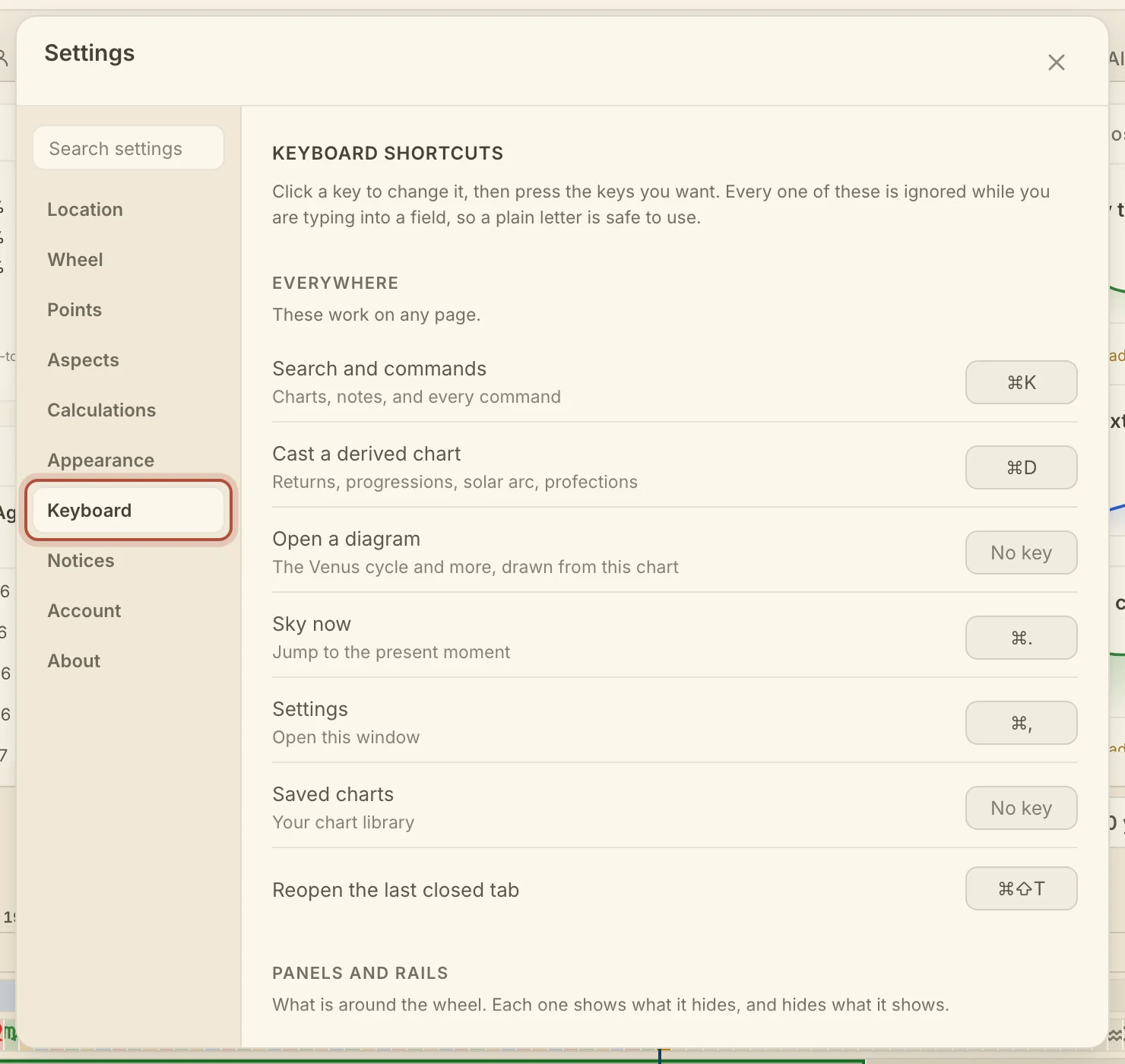
These keys work everywhere.
- Search and commands, ⌘K
- Cast a derived chart, ⌘D
- Sky now, ⌘. (Command and period)
- Settings, ⌘, (Command and comma)
- Reopen the last closed tab, ⌘⇧T
- Open a diagram and Saved charts start without a key.
On the Chart, these keys show and hide the panels and rails.
- Everything but the wheel, \ (backslash). It hides both rails and the timeline together, and brings them back.
- Left rail, Right rail, Timeline, and Top bar start without a key.
These keys move through time.
- Step back, [
- Step forward, ]
- Slide the window back, ←, on the Graph
- Slide the window on, →, on the Graph
On the Chart, [ and ] step a cast return or other derived ring to its previous or next occurrence. With no derived ring, they step between your marked events on the timeline. On the Graph they step between your marked events.
These keys work in place, and they are fixed.
- On the wheel, with the pointer over it: + and − zoom, 0 puts it back to fit.
- On the Dashboard: 1, 2, and 3 choose Week, Season, or Year. With the dial in focus, the up and down arrows move a row, and . (period) returns to now.
- On the life timeline's rail: ← and → pan, Shift for a screenful, Home and End go to the two ends.
- In the event finder: Enter finds the next, Shift+Enter the previous.
- In Cast: the arrows pick a row and Enter casts it. ⌘↩ casts it as a ring, ⇧↩ beside. ⌘1, ⌘2, and ⌘3 choose Ring, Beside, or Replace. With the search empty, ← and → change the row's occurrence or progressed angles.
- In Diagrams: the arrows pick a row and Enter opens it. ⌘↩ lays a figure on the wheel, ⇧↩ opens it beside.
- In Search: Enter runs the row. ⌘↩ starts a new chart under the name you typed.
- Escape closes whatever is on top, one layer at a time.
On a phone, a long-press does the work of a right-click. See long-press on a phone.
Didn't answer it? Write to support@arcusastrology.com.