
In this section (4)
Your account and data
Signing in to Arcus
Signing in keeps your charts and settings with your account, so they are there on every device you use.
Click Sign In at the far right of the top bar.
Tap any mode but the Dashboard, in the row of modes at the top. Signed out, each one asks you to sign in.
Continue with Apple, Continue with Google, or use an email address and password. Forgot password? sends a link to reset it.
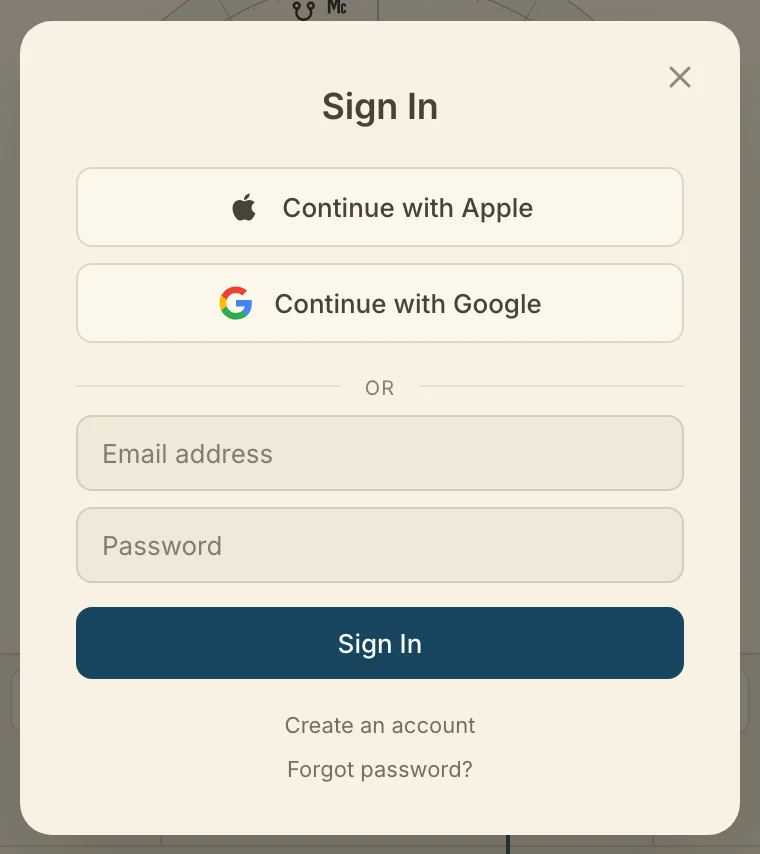
Arcus is in private beta, so creating an account also files a request for access. Once it is approved, sign in again. Signed out, Arcus opens on the Dashboard and every other mode shows a lock, and what needs an account is listed in Troubleshooting.
Your account settings
Your account holds the name Arcus calls you by, the chart that is yours, and how you sign in. Open Settings, then Account, then Your account.
Arcus calls you is the name Arcus addresses you by. Type it and press Enter.
Your chart is the saved chart that is you. Click Choose, or Change once one is set, to pick it. It leads Your Orbit on the Dashboard. Clear takes it off.
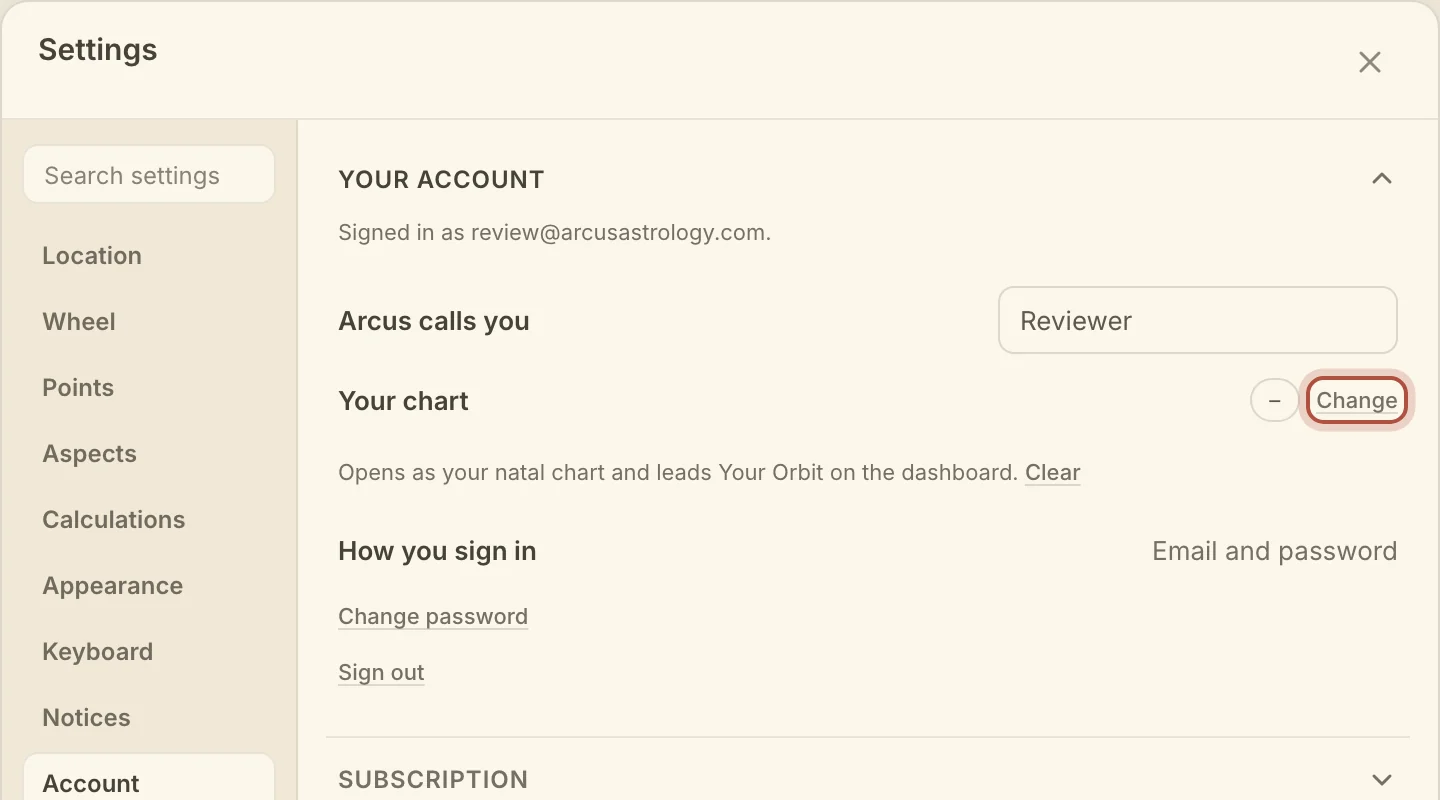
Change password appears on accounts that sign in with an email and password. Sign out is the last row, and on a computer it is also in the account menu at the far right of the top bar.
To delete your account, open Settings, then Account, then Delete account, and click Delete my account. This permanently deletes your account, your saved charts and notes, and the rest of your workspace, so export your data first if you want to keep anything. Type DELETE to confirm. An email account also asks for your password, and a Google or Apple account asks you to confirm with Google or Apple first.
Subscription and owning Arcus
Arcus is $100 a year or $10 a month, and the first 14 days are free. Buy once is a single payment of $400. Every payment counts toward owning Arcus, and once your payments reach $400, Arcus is yours for good.
Open Settings, then Account, then Subscription.
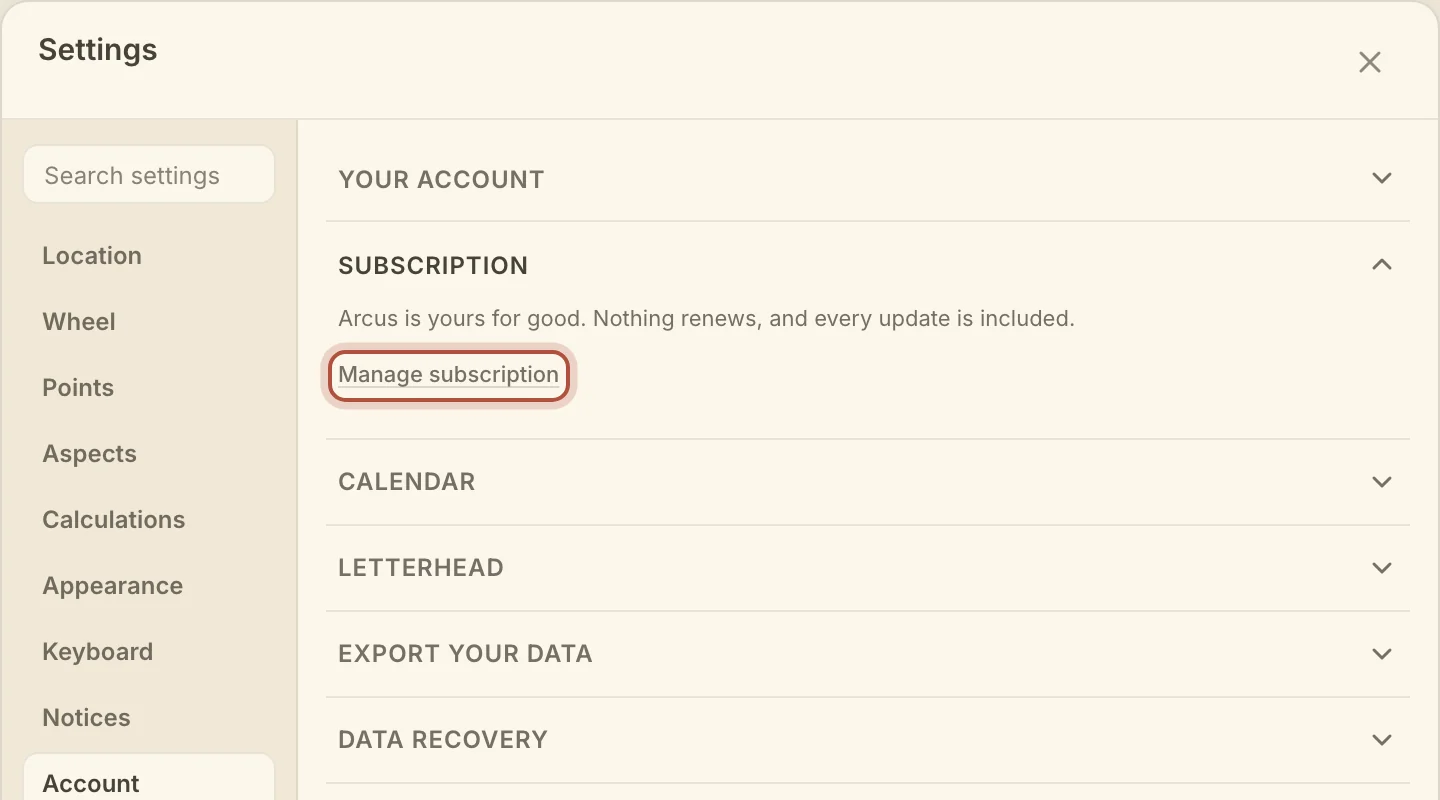
- Manage subscription opens the billing page in your browser. Change your card, move between monthly and yearly, or cancel there.
- Toward owning Arcus shows how much of the $400 you have paid. It appears after your first payment.
- Buy once for buys Arcus outright, with what you have already paid taken off the price. Your subscription ends the moment the payment goes through.
Connecting a calendar account
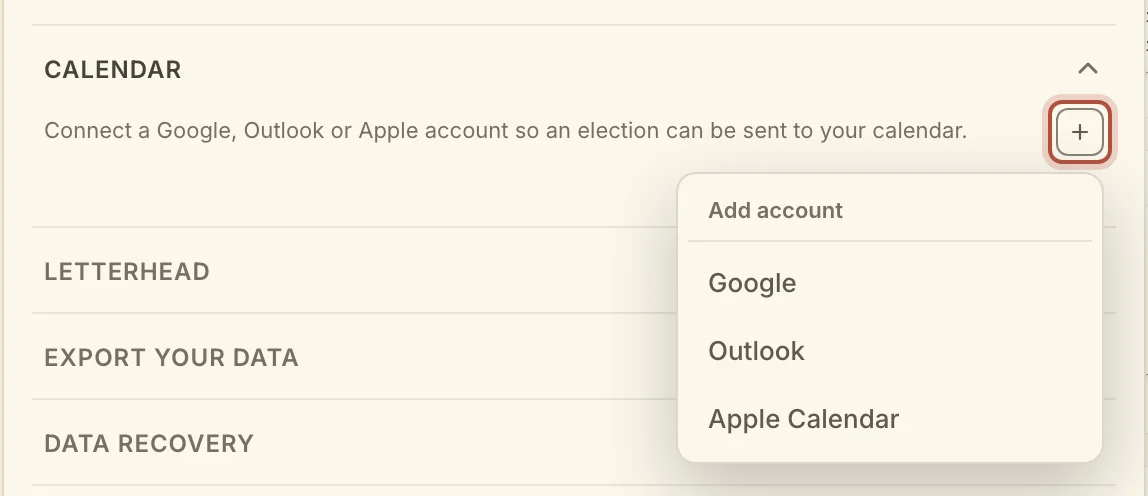
Connecting a calendar lets Arcus send elections and lists straight to your Google, Outlook or Apple calendar.
- Open Settings, then Account, then Calendar.
- Click + and choose Google, Outlook or Apple Calendar.
- For Google or Outlook, finish signing in in the tab that opens. The account then appears in the list.
- For Apple Calendar, type your Apple ID and an App-specific password, then click Connect. Make the password at appleid.apple.com, under Sign-In and Security, App-Specific Passwords. Your regular Apple ID password will not work.
With more than one account connected, one is marked Default. Click Make default on another to change it. Disconnect removes an account.
Sending elections and lists is on Elect and Calendar and lists.
Recovering deleted charts and settings
Arcus keeps a dated copy of every edit and deletion for 30 days, so a chart or a note you deleted by mistake can come back.
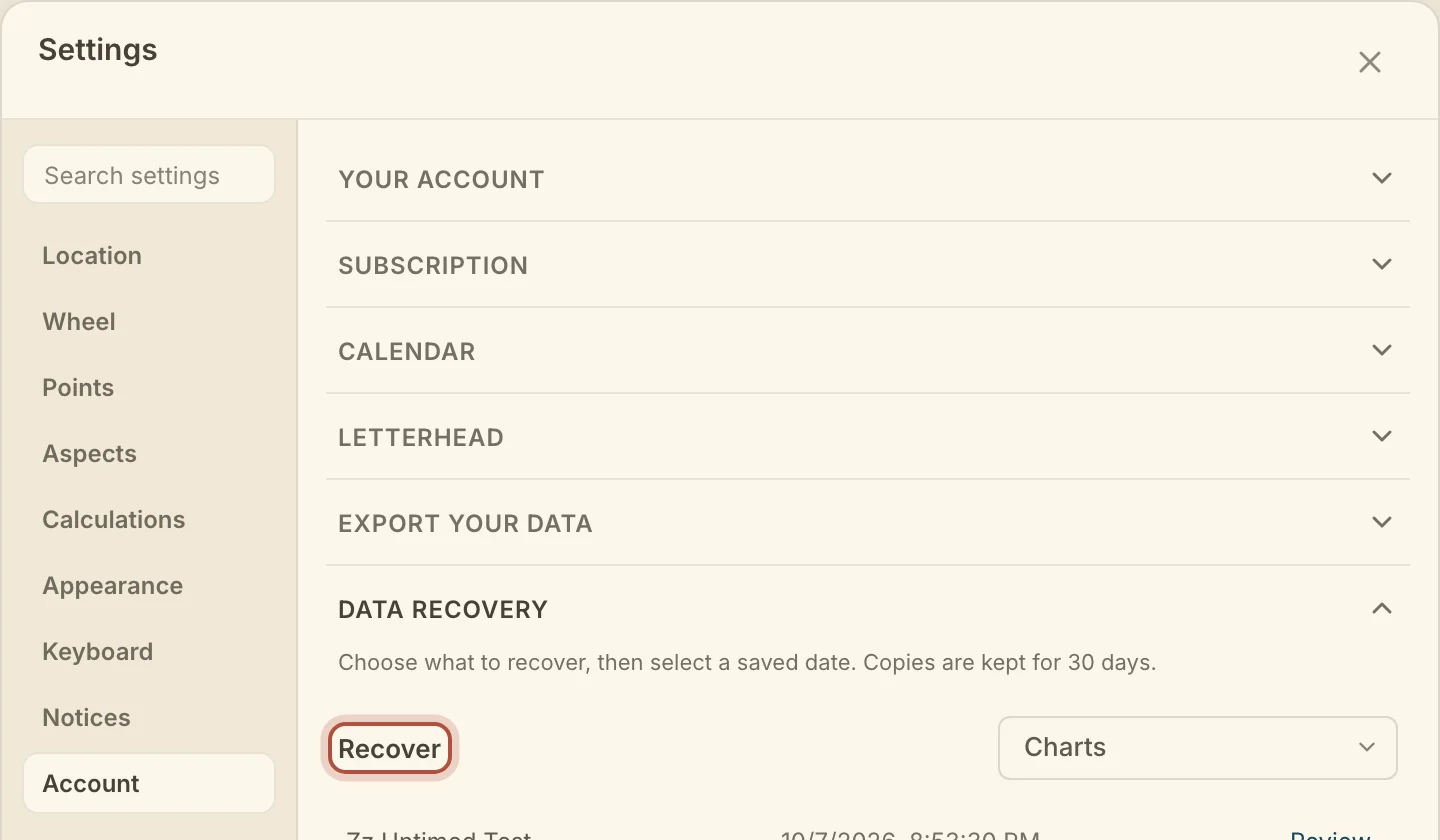
- Open Settings, then Account, then Data recovery.
- Under Recover, choose Charts, Notes and events, Appearance and skins, Workspace, Locations, or Library settings.
- Find the copy you want. Click Older dates to go further back.
- Click Review… to read what recovering it will do, then confirm.
A deleted chart or note comes back as it was. If it still exists, the recovered copy sits beside it. For the other choices, Restore saved values puts back the values in that copy and can replace newer ones.
A full copy of everything you have in Arcus, as one file, is on taking your charts back out.
Didn't answer it? Write to support@arcusastrology.com.