
In this section (22)
- Profections
- Zodiacal releasing
- Firdaria
- Decennials
- Circumambulation
- Primary directions
- Speculum
- Ascensional times
- Progressions
- Planetary hours
- Lunations
- Aspects
- Declination
- Midpoints
- Dignities and triplicity lords
- Lots
- Fixed stars
- Minor planets
- Chart family
- Elements and Quadruplicity
- Temperament
- Moon
Ascensional times
The Ascensional times card dates the ages at which the chart's planets, signs and aspect pairs come due, and marks the ones busy at the chart's moment, so you can see what is due now and what comes next.
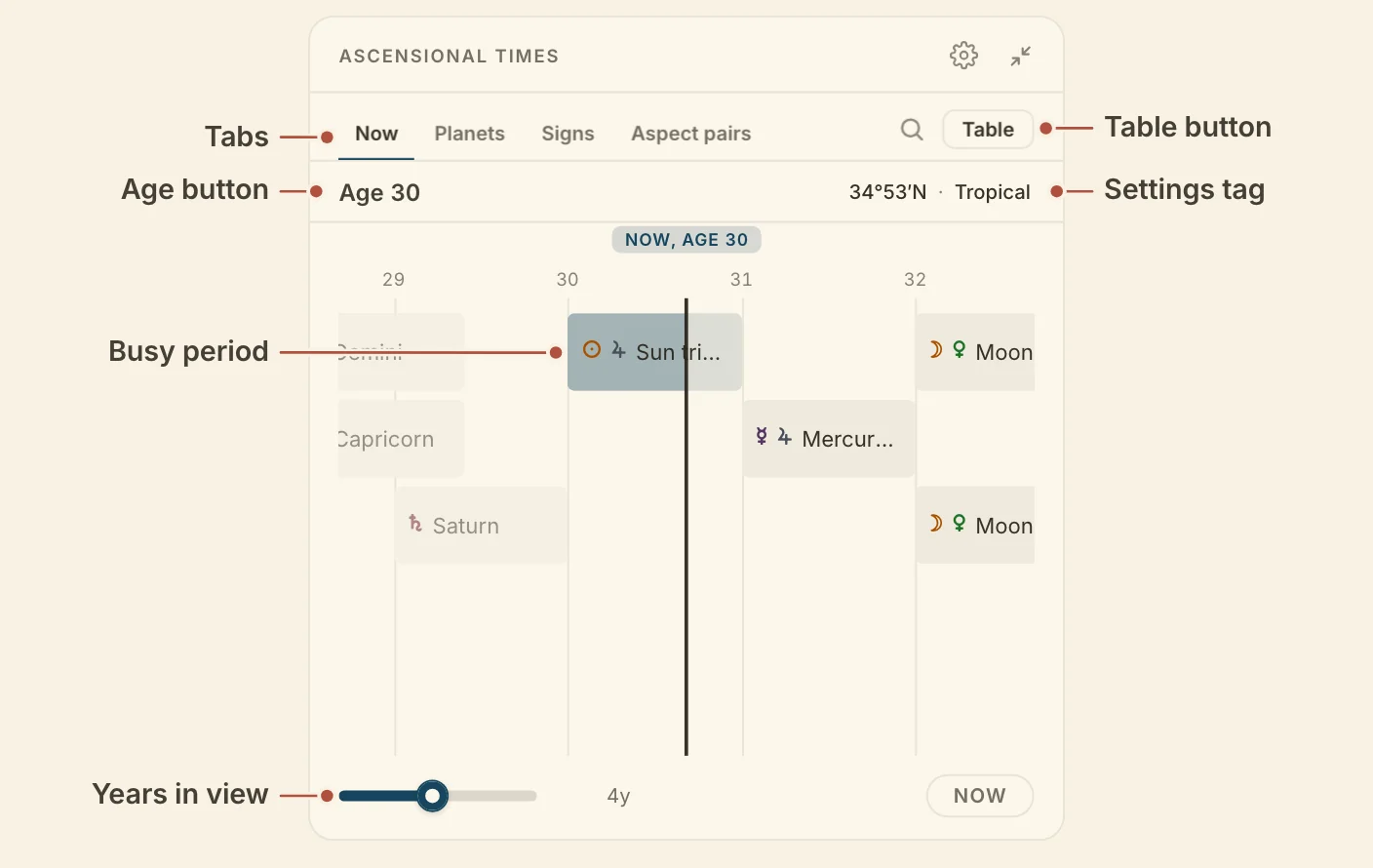
Reading the Ascensional times card
The Ascensional times card sorts the periods it dates into four tabs, and shows each one as a track of ages or as a list.
- Now lists every period the chart reaches, in age order.
- Planets lists each planet's own periods and sums.
- Signs lists the twelve signs by their rising times.
- Aspect pairs lists the planets in aspect by sign, at the sum of their minor years.
Under the tabs, Age shows the age at the chart's moment, and clicking it returns to the present. The tag on the right names the rising times and the zodiac in use, and opens the settings. The search button beside the tabs narrows the tab you are on.
In the Track view, the default, each period is a bar on an axis of ages, with a line at the chart's moment. Scroll the track sideways to move through the life, and click the now button to come back. Click a bar for a spotlight on what the number is made of and its third, half and two thirds with their ages.
In the List view, each period is a row with its busy ages, dimmed once past and highlighted when busy now. Click the busy ages to move the chart's moment to where that stretch opens, or elsewhere on the row for its third, half and two thirds. On the Planets tab, clicking a planet gives its Parts and Sums.
Minimized, the card shows NOW, with the periods busy at the chart's moment, and NEXT, with the next to come due and how soon. The busy years also have a lane on the life timeline.
The card needs only a birth date, though without a birthplace the signs have no rising times.
The table of ascensional times
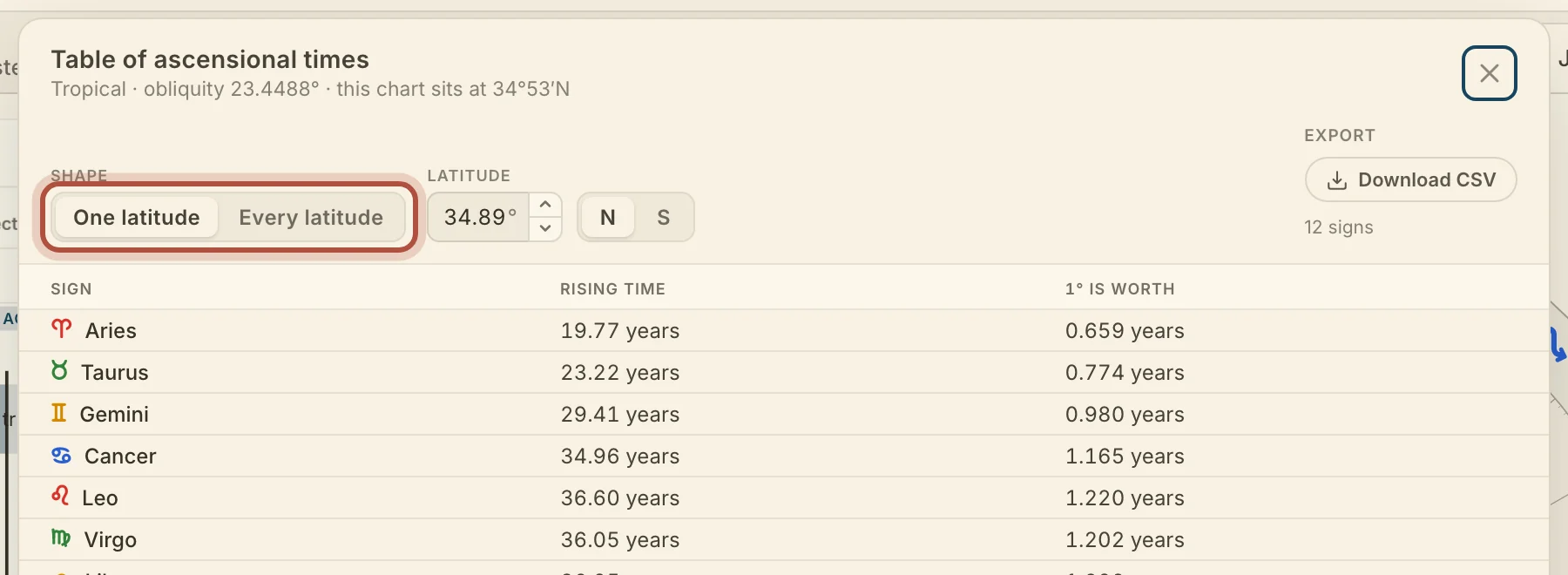
The Table of ascensional times gives the signs' rising times at any latitude, so you can look up a place other than the chart's own. The Table button beside the card's tabs opens it.
- Shape picks One latitude, which gives every sign at a single latitude, or Every latitude, which gives the whole table.
- Latitude (with One latitude) opens at the chart's latitude. You can type another or step it a degree at a time, with N or S beside it. Follow the chart returns to the chart's own.
- Units (with Every latitude) picks Whole sign or Per degree.
Ascensional times settings
The Ascensional times settings choose how the card draws its periods and which rising times it reads. Click the gear in the card's header, or the tag under the tabs, to open them. They apply to every chart on your account, and the timeline lane follows them.
- View picks Track (the default) or List.
- Rising times picks This chart's latitude (the default) or Valens' own table.
- Sums picks how far a planet's sums reach, Hidden, Planet and its sign, Planet and its sign and ruler, or Planet, its sign, its ruler and ruler's sign (the default).
- Busy year picks The year before (the default), The year after, or Both years.
- Halves and thirds picks In the spotlight (the default), On the track too, or Hidden.
Didn't answer it? Write to support@arcusastrology.com.