
In this section (22)
- Profections
- Zodiacal releasing
- Firdaria
- Decennials
- Circumambulation
- Primary directions
- Speculum
- Ascensional times
- Progressions
- Planetary hours
- Lunations
- Aspects
- Declination
- Midpoints
- Dignities and triplicity lords
- Lots
- Fixed stars
- Minor planets
- Chart family
- Elements and Quadruplicity
- Temperament
- Moon
Fixed stars
The Fixed stars card reads the stars of a chosen set by contact, by paran, by their phases around the birth, and in the sky of the moment, so you can find the stars that matter to a chart and look each one up.
Reading the Fixed stars card
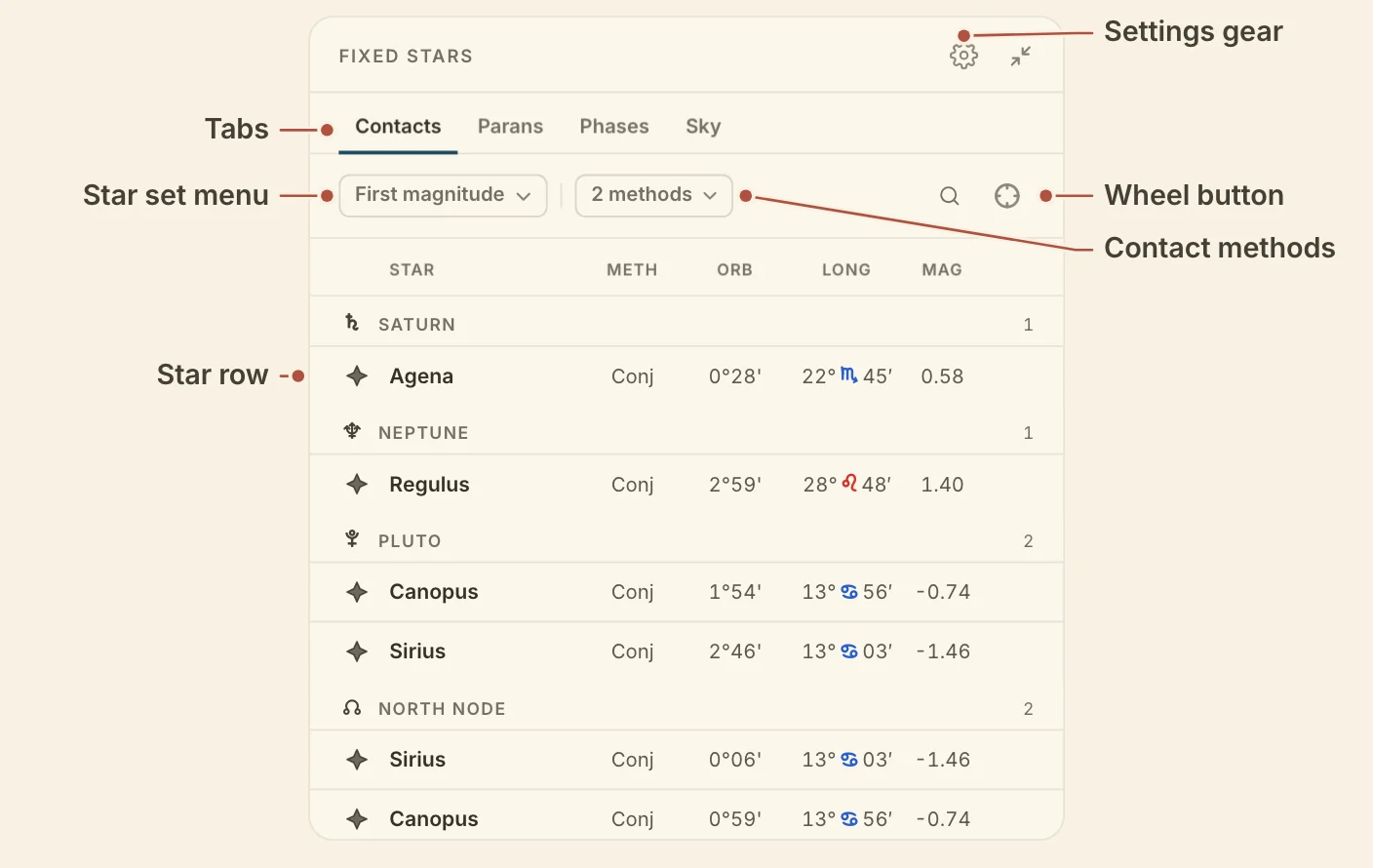
The Fixed stars card reads one set of stars in four ways, a tab for each, Contacts (the default), Parans, Phases and Sky. Each keeps its own columns and its own sort. Click a column heading to sort by it, and drag a heading to move the column. Click any row to open the star's dossier.
The bar under the tabs holds the star set, the contact methods on Contacts, a search button and the wheel button.
The star set menu chooses which stars every tab reads. First magnitude is the default, and the menu also offers My stars, your own saved sets, the brightest stars, traditional collections such as the Behenian and Royal Stars, and all named stars. Save as set…, at the foot of the menu, saves the stars now on the wheel under a name.
Sky lists every star in the set where it stands on the horizon. Sky needs a birth time and place.
Fixed star contacts and parans
Contacts, the first tab on the Fixed stars card, groups the stars by the chart point they touch, and the methods menu beside it decides which kinds of contact count. Conjunct and In mundo are on by default, with Parallel and Co-rising to add. In mundo and Co-rising need a birth place.
Parans, the second tab, groups the stars by the angle the star holds, Rising, Culminating, Setting and Nadir. Each row names the body in paran, the angle the body holds, the orb in time, and the star's magnitude. Parans need only a birth place.
Fixed star phases and the rising star
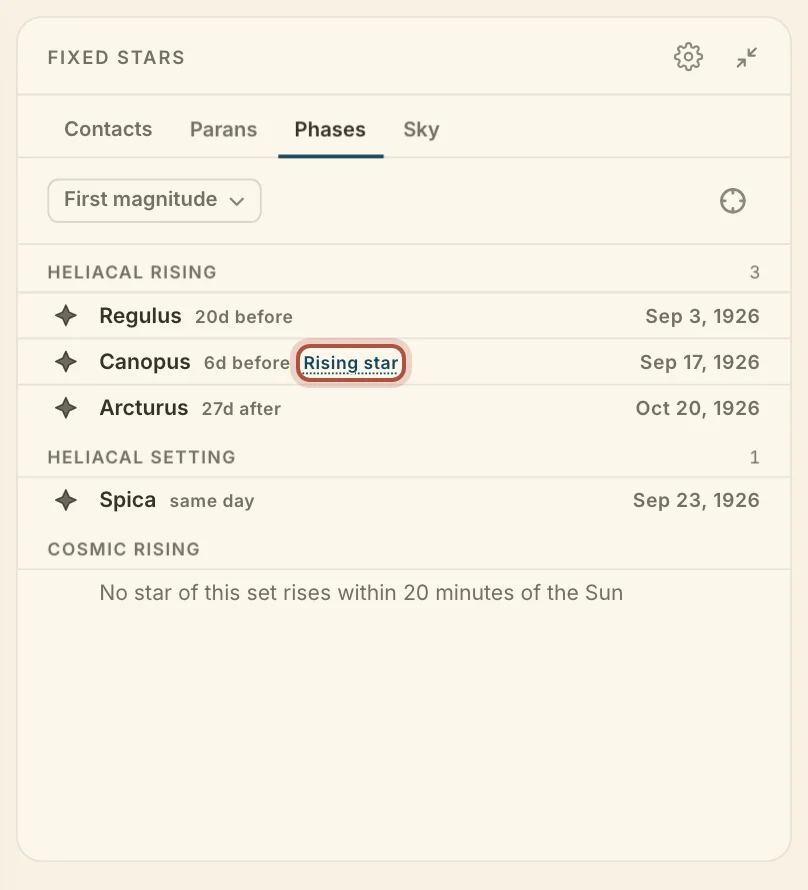
Phases, the third tab on the Fixed stars card, lists the stars' phases from 30 days before the birth to 30 days after, read at the birth place.
- Heliacal rising, in date order. A chip on each row gives the days before or after the birth.
- Heliacal setting.
- Cosmic rising, with the minutes before or after the Sun.
The birth's own heliacal rising star carries a Rising star chip. Click the chip for why it was chosen. It comes from the set you have chosen, within the magnitude cap.
The fixed star dossier
The dossier is a page for one star, with what is always true of it and where it stands in this chart. Click a row on any tab of the Fixed stars card to open it. Click the star's name to open it in the Resource catalogue.
General qualities holds what is constant for the star, such as its designation, constellation, magnitude, spectral type and its nature after Ptolemy and the Anonymous of 379. In this chart holds its position, altitude, azimuth, visibility and nearest angle.
Below that is the row you clicked, headed This contact, This paran, or Rising with the Sun for a phase. It gives the kind, the day the star was first seen, how long before the moment that was, and the arcus visionis.
Fixed stars settings
The Fixed stars card's settings hold your own star set along with the columns, orb and magnitude cap the tabs use. Click the gear on the card to open them.
- My stars builds your own set. Click Add star to choose stars.
- Columns picks the columns for the tab you are on.
- Orb applies to every star, 3° by default.
- Magnitude cap leaves out fainter stars. It is No cap by default.
Where the stars sit on the wheel, and whether they are named there, is set under fixed stars in Settings.
Didn't answer it? Write to support@arcusastrology.com.