
In this section (22)
- Profections
- Zodiacal releasing
- Firdaria
- Decennials
- Circumambulation
- Primary directions
- Speculum
- Ascensional times
- Progressions
- Planetary hours
- Lunations
- Aspects
- Declination
- Midpoints
- Dignities and triplicity lords
- Lots
- Fixed stars
- Minor planets
- Chart family
- Elements and Quadruplicity
- Temperament
- Moon
Lots
The Lots card works each lot's formula for this chart, from the Hermetic lots and a catalogue of lots from fifteen authors, so you can read any lot's position and put it on the wheel.
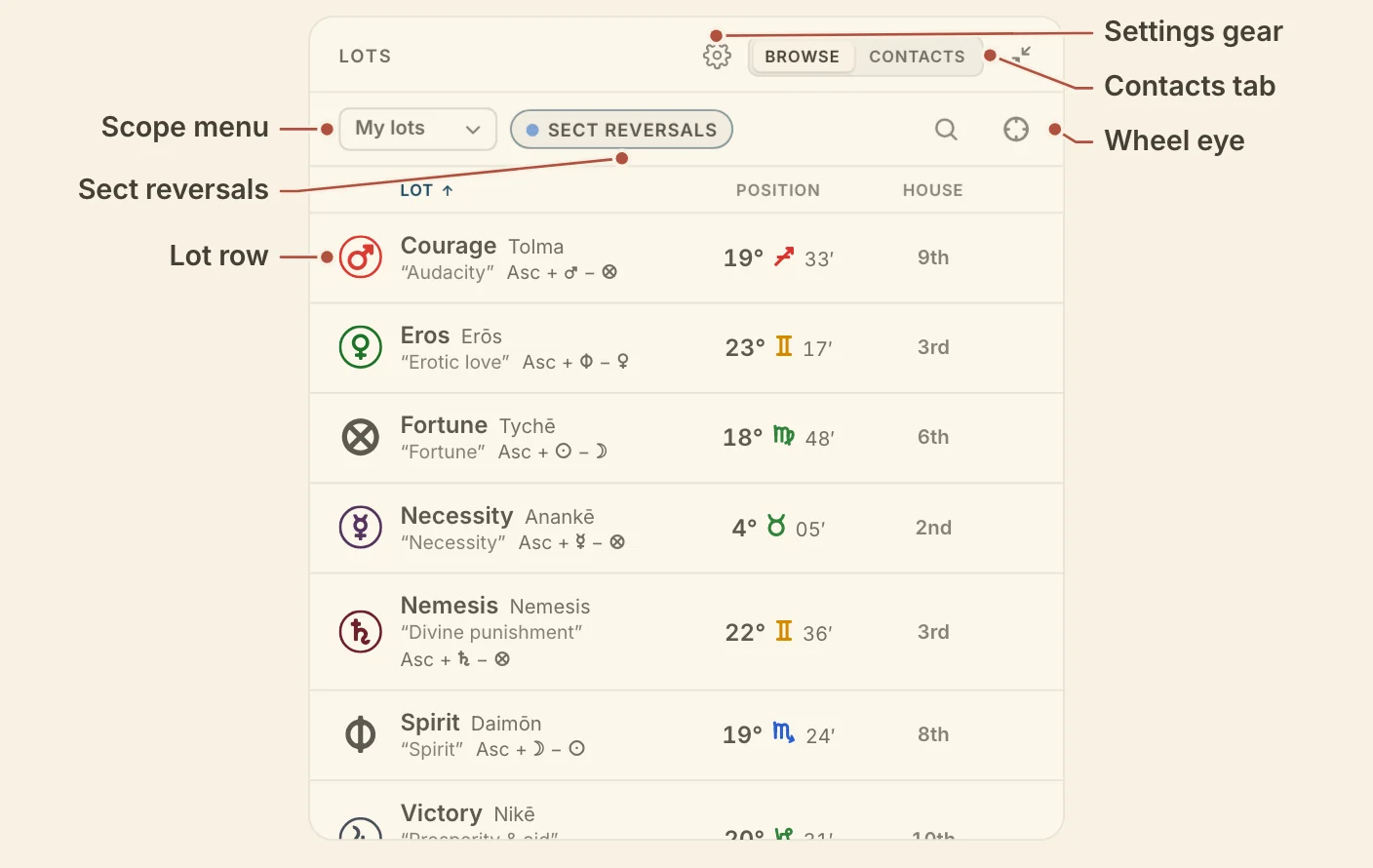
Reading the Lots card
The Lots card has two tabs, Browse, the default, which lists the lots with their formulas and positions, and Contacts, which finds the lots near chart points.
Each row in Browse shows the lot's glyph and name, its Greek name and meaning where it has them, the formula as applied to this chart, its position and its house. Click the Lot, Position or House heading to sort by it, and click it again to reverse. Each row also has an eye that draws the lot on the wheel beside the planets, and the eye in the header shows every lot in the list, or takes them all off.
On a night chart a Sect reversals pill sits in the header. Click it to turn the reversals on or off for this chart's lots. Whether reversals apply to start with, and whether the unused position shows under the one in use, are account settings under lots in Settings, and the card's gear shows them.
Contacts lists the lots within orb of the chart points you choose, grouped by point. Choose points picks which chart points are checked, and the orb button sets how close a lot must be, 3° by default.
Lots needs a birthplace, and without a birth time only the lots made of planets alone are listed.
Lot scopes and authors
The Lot scope menu on the Lots card chooses which lots it lists, from your own short list to the whole catalogue or one author's lots.
- My lots is the default, and starts with the Hermetic lots.
- All lots is the whole catalogue.
- Your sets, saved in Settings, Points or from this menu.
- Hermetic, a preset.
- Fifteen authors, grouped Hellenistic and Medieval, from Vettius Valens to Guido Bonatti.
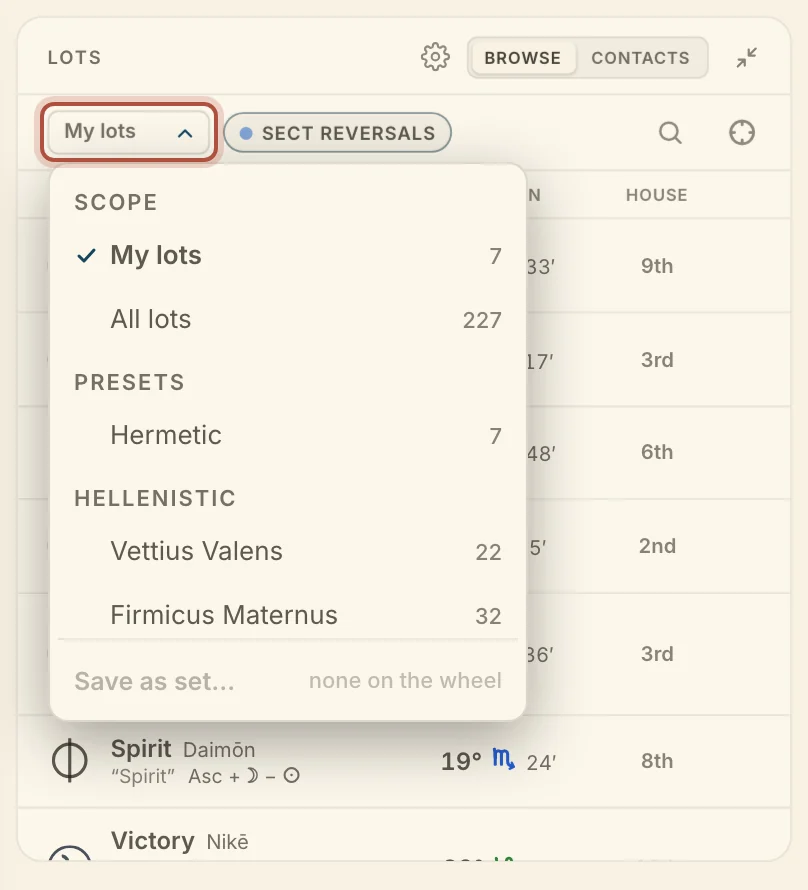
In an author's scope every lot is cast by that author's formula, and sits on the wheel at that degree. The + on a row adds the lot to My lots. Save as set…, at the foot of the menu, saves the lots now on the wheel under a name.
Didn't answer it? Write to support@arcusastrology.com.