
In this section (22)
- Profections
- Zodiacal releasing
- Firdaria
- Decennials
- Circumambulation
- Primary directions
- Speculum
- Ascensional times
- Progressions
- Planetary hours
- Lunations
- Aspects
- Declination
- Midpoints
- Dignities and triplicity lords
- Lots
- Fixed stars
- Minor planets
- Chart family
- Elements and Quadruplicity
- Temperament
- Moon
Zodiacal releasing
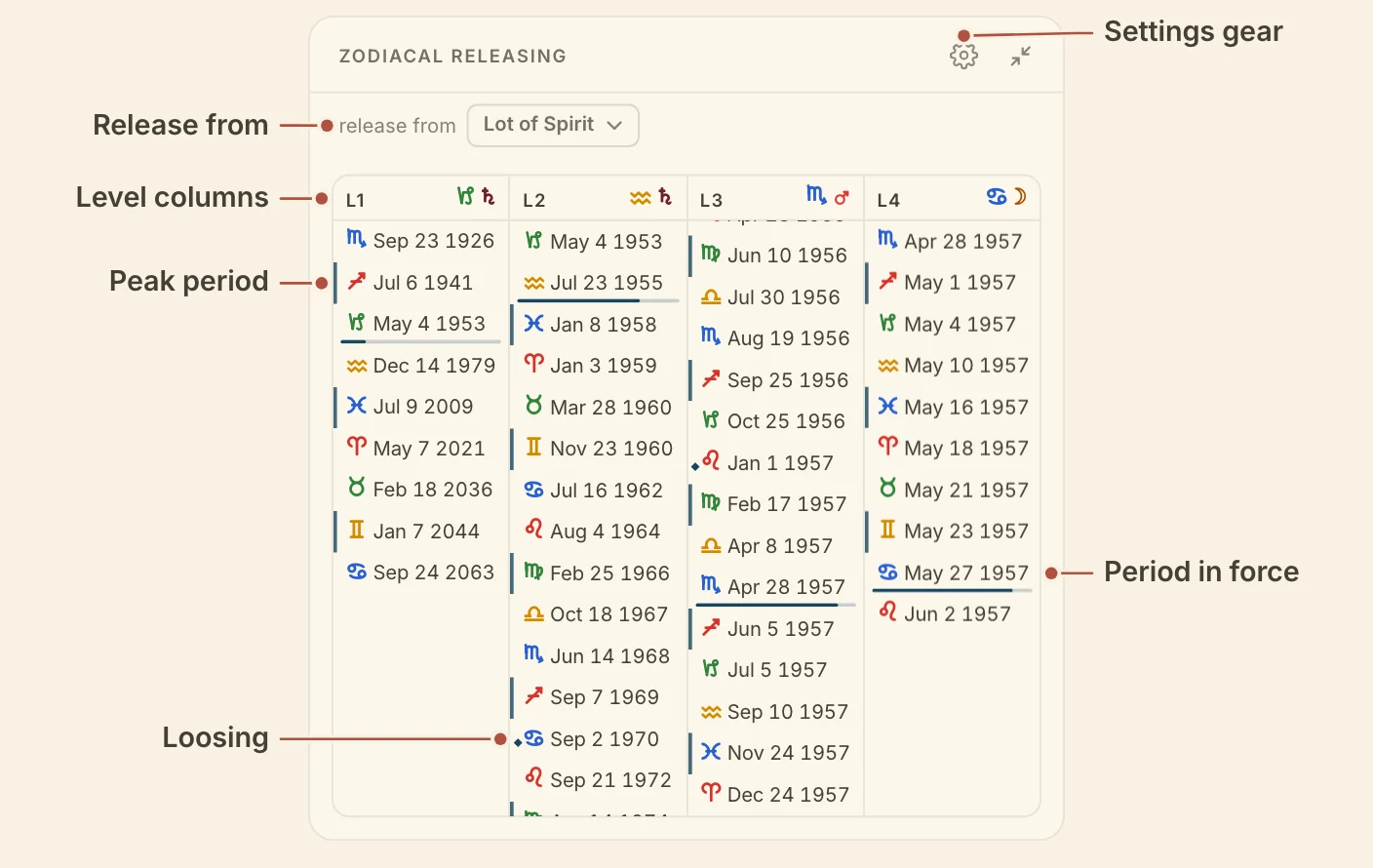
The Zodiacal Releasing card lays out the releasing periods of the chart, level by level, with the period in force marked on each, so you can read all four levels at the chart's moment and open any period's sub-periods.
Reading zodiacal releasing
The Zodiacal Releasing card shows the periods of every level together, so you can see the one in force on each level at once. In the Columns layout, the default, each level has a column, headed L1 to L4 with the sign and ruler in force. Each row is one period, with its sign and the date it begins. Hover a row for its sign, date, and age on the first two levels or time on the deeper two.
The period in force on each level carries a bar that fills as it runs, and every column scrolls to it. Click a period to show its sub-periods in the next column. Move the chart's moment and every column goes back to the period in force.
A ◆ marks a loosing of the bond. Peak periods are boxed, and are always judged from the Lot of Fortune, whatever you release from.
The release from picker in the header sets where the periods start, the Lot of Spirit (the default), Lot of Fortune, Sun or Moon, or any of the twelve signs. The choice is saved with each chart.
Minimized, the card shows the sign and ruler in force on each level, each with its bar. The periods also have a lane on the life timeline.
Zodiacal releasing needs a birth time.
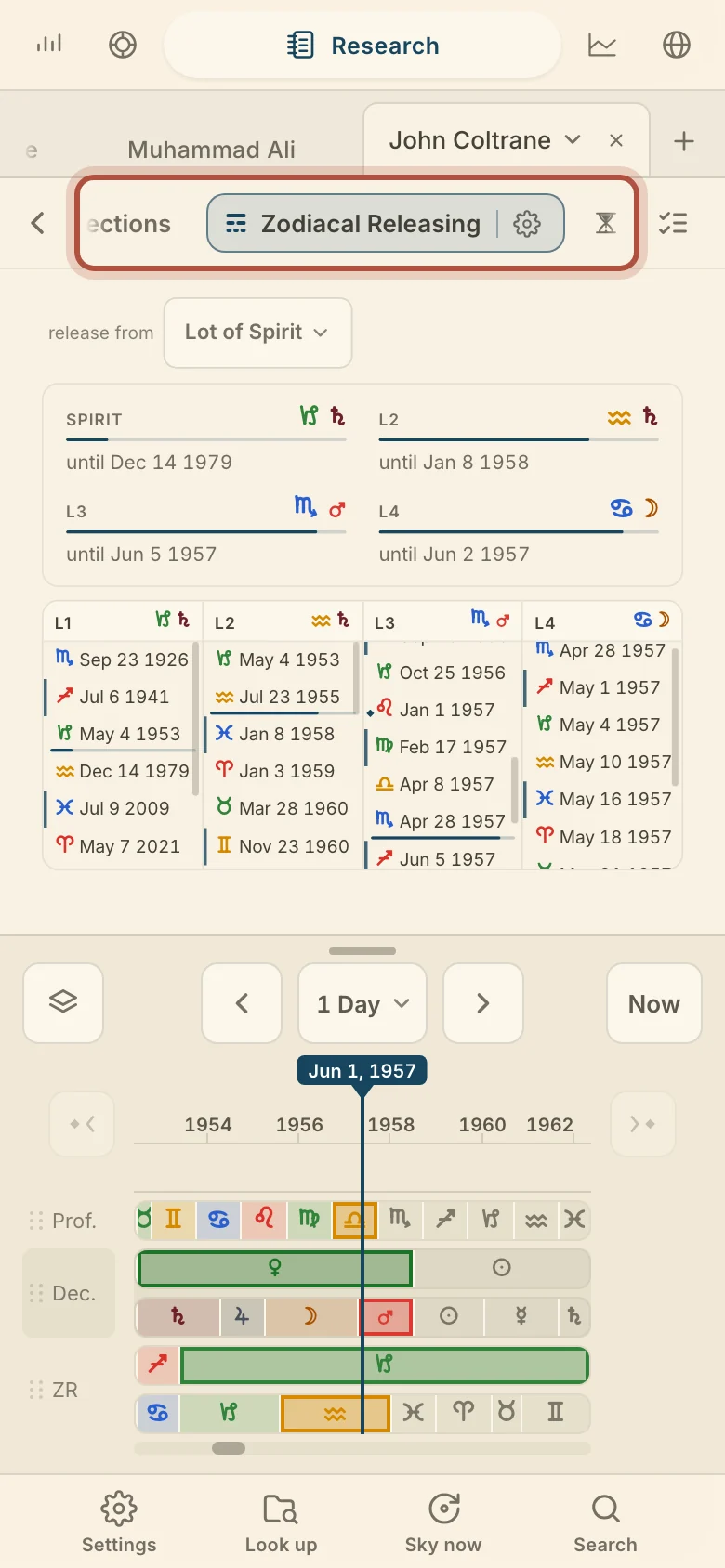
On a phone, a summary of the levels in force sits above the columns, each with the date it ends.
Zodiacal releasing settings
The Zodiacal Releasing settings choose how many levels the card releases and how it lays them out, along with what it highlights. Click the gear in the card's header to open them.
- Levels sets how deep the card releases, from 1 to 4, the default. It applies to every chart on your account.
- Layout picks Columns, Dropdown or Stacked.
- Peak periods, under Highlights, boxes the peaks. It is on by default.
- Valens rule, under Calculation, advances the Lot of Spirit one sign when it falls in the same sign as the Lot of Fortune. It is off by default and applies to every chart on your account.
Dropdown nests the levels in one tree, with the path to the present open. Click a period to open or close its sub-periods. Expand all levels, in the header, opens every level, and Collapse all levels folds the tree back to the first level. Stacked puts each level in a box of its own, Level 1, Level 2 and so on, and clicking a period fills the boxes under it. Both show a row of chips across the top with the sign and ruler in force on each level.
Didn't answer it? Write to support@arcusastrology.com.